
iOS modal effect
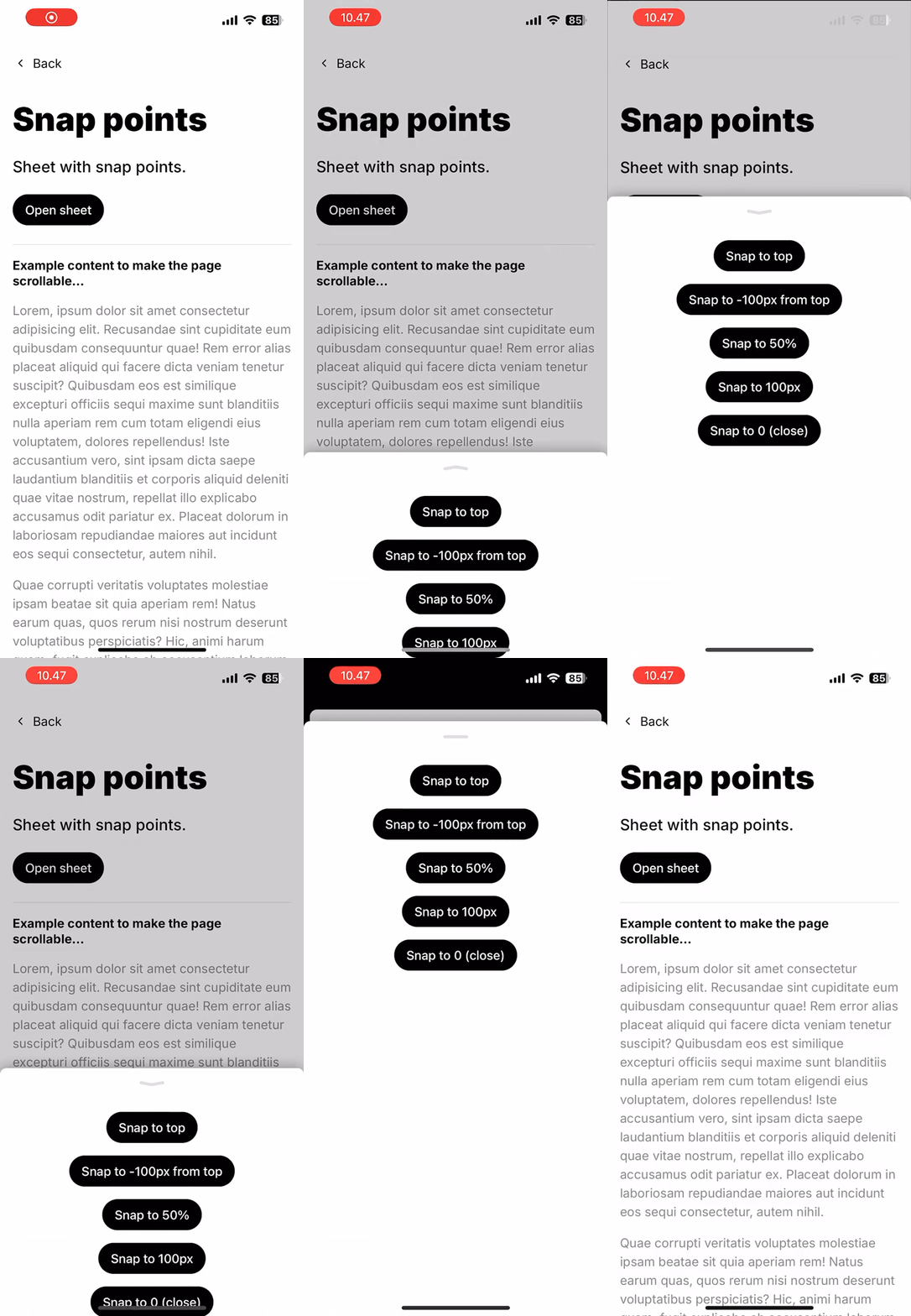
In addition to the Sheet.Backdrop it’s possible to apply a scaling effect to the main app element to highlight the modality of the bottom sheet. This effect mimics the iOS Modal View presentation style to bring more focus to the sheet and add some delight to the user experience.
 |
 |
|---|
To enable this effect you can provide the id of the root element where your application is mounted:
function Example() { return <Sheet modalEffectRootId="root">{/*...*/}</Sheet>;}Controlling the effect
Section titled “Controlling the effect”You can control the start threshold of the effect with the modalEffectThreshold prop which should have a value between 0 and 1 representing the fraction at which the effect starts relative to the dragging distance. So for example, a value of 0.5 means the effect will start when the sheet is dragged halfway and 0.7 would mean the effect will start when the sheet is dragged 70% of the way to the top. The default value is 0 which means that the effect will start as soon as the sheet is opened or dragged into view.
Stacking sheets
Section titled “Stacking sheets”The modal effect can also be applied to another sheet which lets you stack sheets on top of each other. Give the underlying sheet an id and use it as the modalEffectRootId of the sheet that is opened on top of it. You can stack as many sheets as you want by always pointing modalEffectRootId to the sheet directly underneath.
function StackedExample() {  const [isOpen, setOpen] = useState(false);  const [isStackedOpen, setStackedOpen] = useState(false);
  return (    <Sheet      id="parent-sheet"      isOpen={isOpen}      onClose={() => setOpen(false)}      modalEffectRootId="root"    >      <Sheet.Container>        <Sheet.Content>          <button onClick={() => setStackedOpen(true)}>            Open stacked sheet          </button>
<Sheet isOpen={isStackedOpen} onClose={() => setStackedOpen(false)} modalEffectRootId="parent-sheet" > <Sheet.Container>{/*...*/}</Sheet.Container> <Sheet.Backdrop onTap={() => setStackedOpen(false)} /> </Sheet> </Sheet.Content> </Sheet.Container> <Sheet.Backdrop onTap={() => setOpen(false)} /> </Sheet> );}See the Stacked sheets example for a working example of this.